
Roblox Parental Controls Cheat Sheet
Everything you need to know in 2 minutes.
February 26, 2026·2 min read
Save this. Share it with other parents. Print it out and stick it on the fridge. These are the Roblox settings every parent should know about, organized by your child's age.
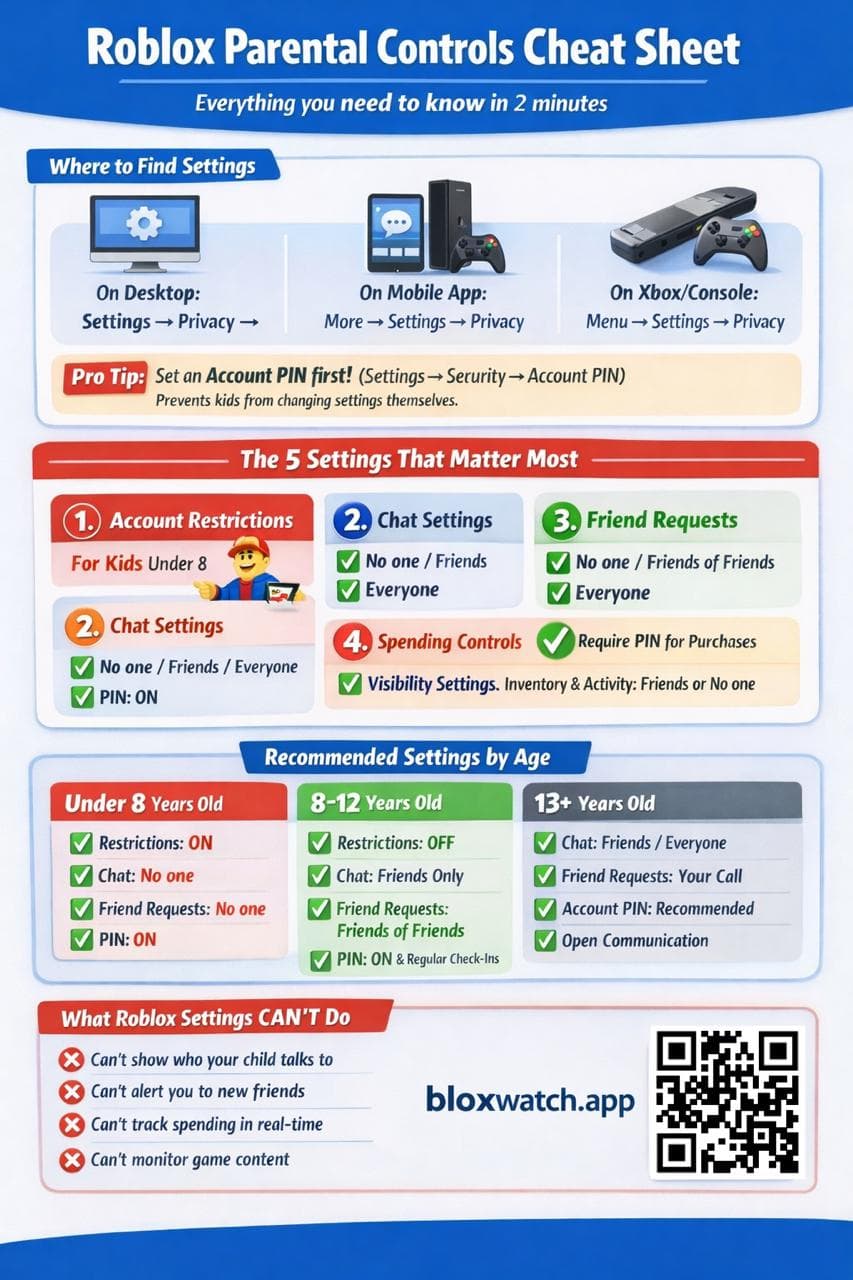
Where to Find Roblox Parental Controls
- Desktop: Settings → Privacy
- Mobile App: More → Settings → Privacy
- Xbox/Console: Menu → Settings → Privacy
Pro Tip: Set an Account PIN first (Settings → Security → Account PIN). This prevents your child from changing the settings you've configured.
The 5 Settings That Matter Most
- Account Restrictions — Locks the account to a curated list of age-appropriate games. Essential for kids under 8.
- Chat Settings — Control who can message your child: No one, Friends, or Everyone. We recommend Friends Only for most kids.
- Friend Requests — Limit who can send friend requests: No one, Friends of Friends, or Everyone.
- Spending Controls — Require a PIN for any Robux purchases. Prevents surprise credit card charges.
- Visibility Settings — Control who can see your child's inventory and activity. Set to Friends or No one.
Recommended Settings by Age
Under 8 Years Old
- Account Restrictions: ON
- Chat: No one
- Friend Requests: No one
- Account PIN: ON
8–12 Years Old
- Account Restrictions: OFF (but monitor what they play)
- Chat: Friends Only
- Friend Requests: Friends of Friends
- Account PIN: ON + regular check-ins
13+ Years Old
- Chat: Friends / Everyone (your call)
- Friend Requests: Your call
- Account PIN: Recommended
- Focus on open communication over restriction
What Roblox Settings Can't Do
Even with every setting configured perfectly, Roblox's built-in controls have blind spots:
- Can't show you who your child talks to
- Can't alert you to new friends
- Can't track spending in real-time
- Can't monitor what games they actually play
That's why we built BloxWatch — to fill the gaps that Roblox's parental controls leave open. Automated monitoring, proactive alerts, and real visibility into your child's Roblox activity.